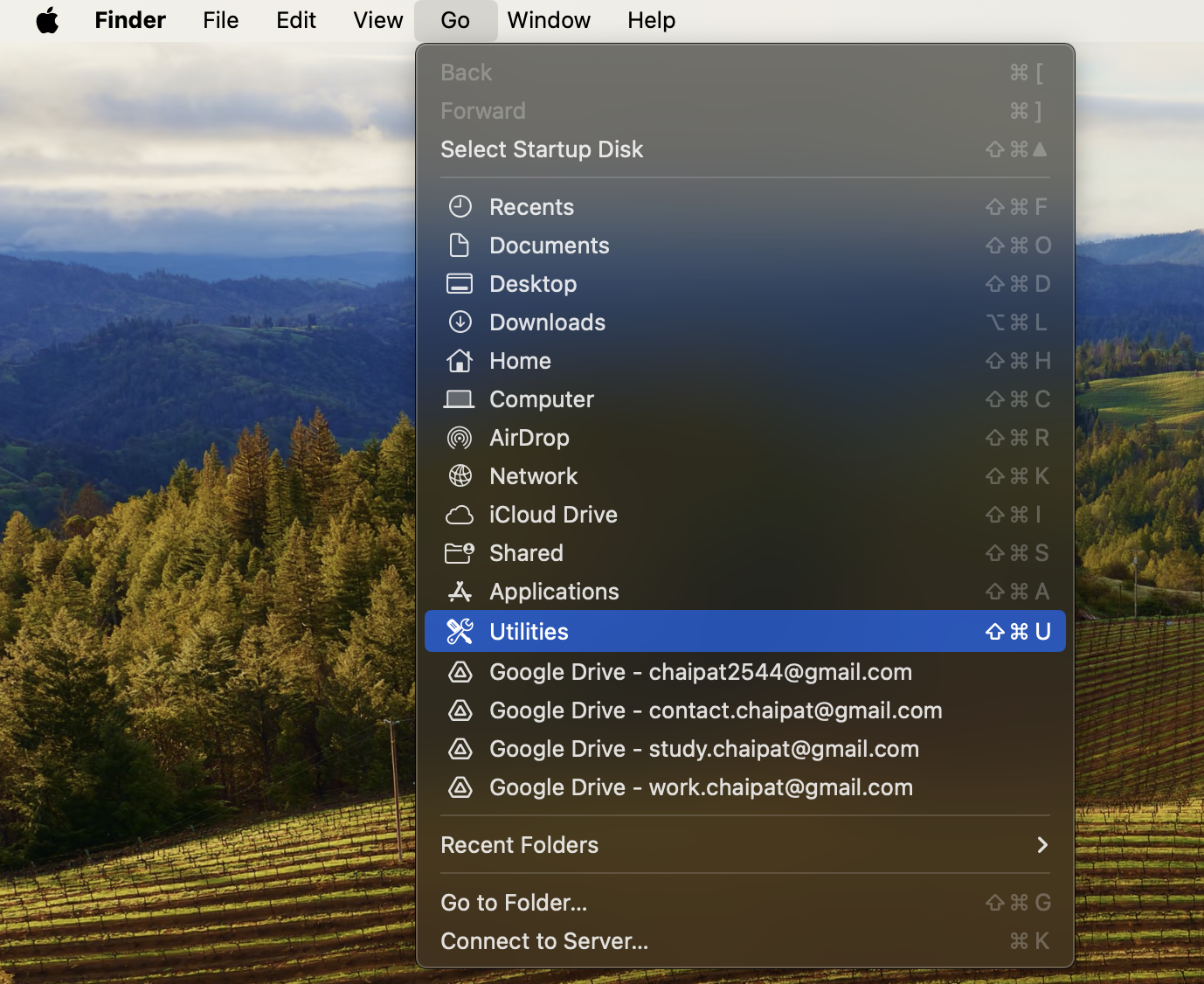
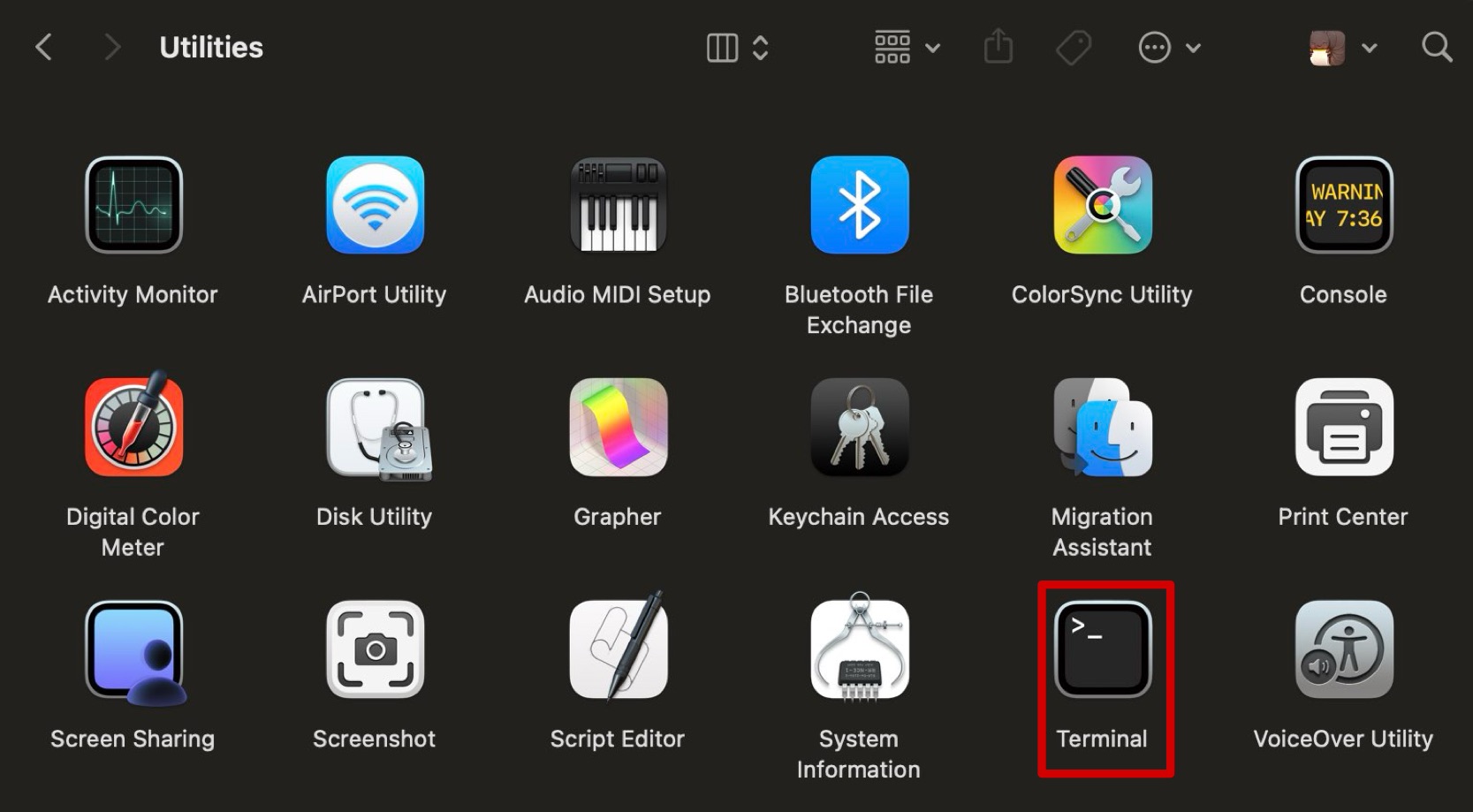
FAQHow to Open Terminal?Using the Go MenuMethod 5: Using the Go Menu Open a new Finder window. In the menu bar at the top of the screen, click on Go From the dropdown menu, select Utilities. Scroll down or search for the Terminal application and double-click on it. Using Launchpad